
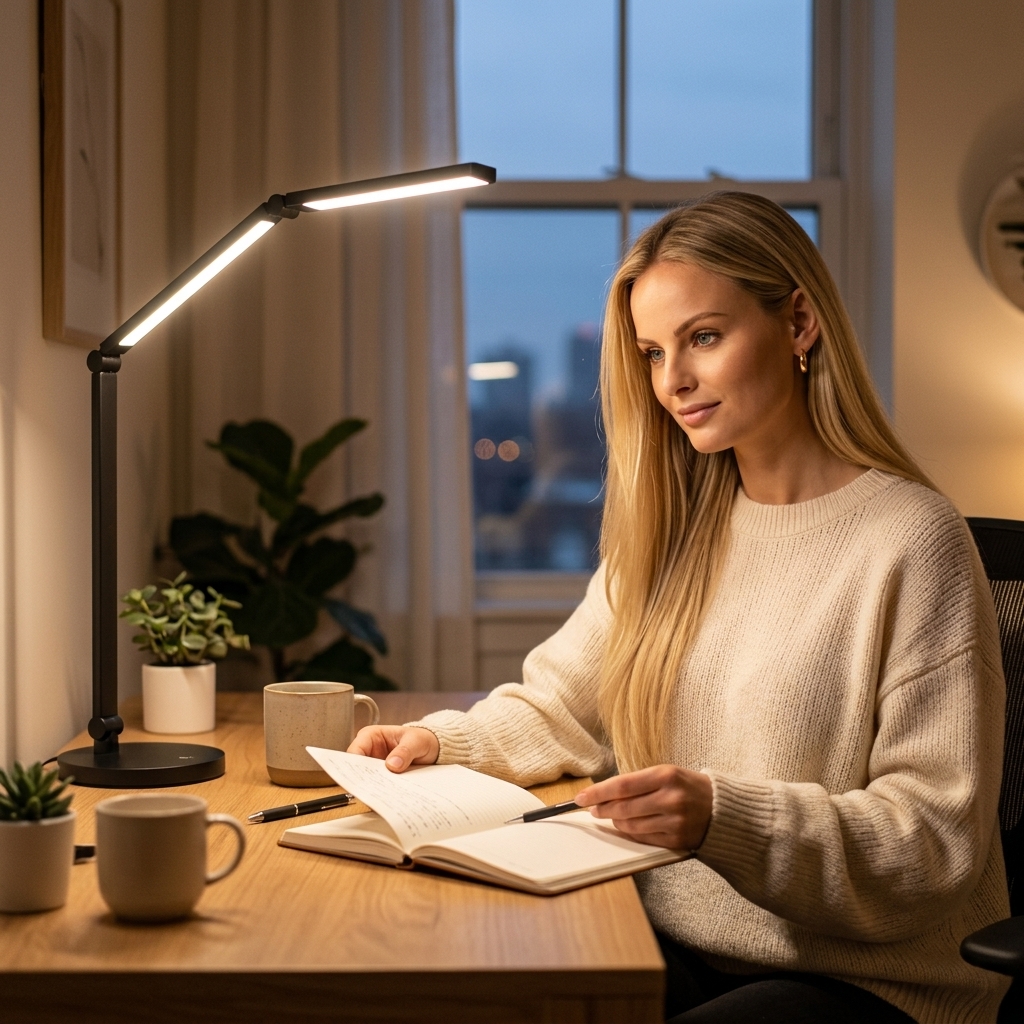
Your workspace is more than furniture and a Wi-Fi connection. It's the environment that shapes how you think, how you feel, and ultimately how well you work. A thoughtfully designed home office doesn't just look good — it actively boosts your focus, unlocks your creativity, and protects your comfort throughout the day.
The problem? Most remote workers throw together a makeshift setup — a kitchen table, a dining chair, a laptop screen at the wrong height — and wonder why they feel drained by 3pm. The solution isn't expensive or complicated. It's intentional.
Here's how to build a home office that works for you, not against you.
Why Ergonomics Should Be Your Starting Point
Ergonomics is the science of designing your environment to fit your body — not forcing your body to fit your environment. When your workspace is ergonomically set up, the benefits compound daily:
Improved Focus
When your body is comfortable, your mind is free to concentrate. Physical discomfort is the #1 hidden distraction.
Better Posture
Proper screen height and seating alignment prevent the hunching that causes chronic neck, shoulder, and back pain.
Higher Productivity
Studies show ergonomic workspaces increase productivity by up to 25%. Less pain = more output.
Think of ergonomics as the foundation. Everything else — lighting, sound, aesthetics — builds on top of a body that isn't fighting its environment.
Step 1: Get Your Screen to Eye Level
This is the single most impactful ergonomic change you can make. When your laptop screen sits on a flat desk, your neck tilts forward 20–45 degrees. Over time, this creates what physiotherapists call “tech neck” — chronic strain on the cervical spine that leads to headaches, shoulder tension, and upper back pain.
The fix is simple and affordable:
- Laptop stand: Elevates your screen to eye level. Look for adjustable aluminum stands (under $30)
- External keyboard + mouse: Once your laptop is raised, you need these to keep your hands at a comfortable height
- The 20-20-20 rule: Every 20 minutes, look at something 20 feet away for 20 seconds to reduce eye strain
The Ideal Posture Position: Feet flat on the floor. Thighs parallel to the ground. Back supported. Elbows at 90 degrees. Top of screen at or slightly below eye level. This is your target — and every piece of furniture and equipment should help you achieve it.
Step 2: Invest in Your Chair (or Improve What You Have)
You'll spend more hours in your office chair than in your bed. Yet most people invest thousands in mattresses and nothing in the thing they sit in 8 hours a day.
A good ergonomic chair should have:
- Adjustable seat height — your feet should sit flat, thighs parallel to the floor
- Lumbar support — the natural curve of your lower back should be supported, not forced into a C-shape
- Adjustable armrests — your elbows should rest at 90 degrees without shrugging your shoulders
- Breathable material — mesh backs prevent heat buildup during long sessions
Budget tip: If you can't replace your chair right now, add a lumbar support pillow (under $25) and a seat cushion. These two additions can transform a basic chair into something surprisingly supportive.
Step 3: Control Your Lighting for Focus and Comfort
Lighting is the most underestimated element of a productive workspace. Poor lighting causes eye strain, headaches, and fatigue — and most people don't connect the symptoms to their environment.
Your lighting strategy should combine three layers:
| Layer | Source | Why It Matters |
|---|---|---|
| Natural light | Window (to the side, not behind your screen) | Regulates circadian rhythm, boosts mood and alertness |
| Task lighting | LED desk lamp (adjustable colour temperature) | Eliminates shadows, reduces eye strain, adapts to time of day |
| Ambient lighting | Overhead or indirect light | Prevents harsh contrast between your screen and surroundings |
The key upgrade here is a quality LED desk lamp with adjustable colour temperature. Use cool white (5000K+) during morning focus hours, and shift to warm white (2700K) in the afternoon and evening. This mimics natural daylight cycles and helps your body wind down naturally.
Look for zero-flicker technology — cheap lamps flicker at imperceptible frequencies that your eyes still process, causing fatigue you can't explain. A good desk lamp eliminates this entirely.
Step 4: Manage Sound for Deep Work
Sound is a focus multiplier — or a focus killer. Research shows that unpredictable noise (conversations, TV, traffic) disrupts concentration far more than consistent background sound.
Your sound strategy:
- Noise-cancelling headphones: The single best investment for shared spaces. Even without music, they block distracting ambient noise
- Brown noise: More effective than white noise for focus — it has a deeper, warmer frequency that masks interruptions without feeling harsh
- Lo-fi or instrumental music: Great for creative work. Lyrics can compete with your internal monologue during writing or problem-solving
- Silence: Some people focus best in quiet. Don't force background sound if you don't need it
Pro tip: If you're in a noisy household, establish “deep work hours” — a set 2–3 hour block where headphones go on and interruptions are off. Communicate this with your household. Boundaries are an ergonomic tool too.
Step 5: Design for Creativity, Not Just Productivity
Productivity and creativity require different things from your environment. Pure productivity thrives on minimalism and structure. Creativity needs a touch of inspiration and warmth.
The best home offices blend both:
- A plant or two: Studies show indoor plants reduce stress, improve air quality, and boost creative thinking by up to 15%
- Warm tones: Cream, warm wood, and soft gold tones create a calming environment. Avoid sterile all-white setups — they're psychologically cold
- A candle or diffuser: Subtle scents like eucalyptus, cedar, or citrus can improve alertness and reduce anxiety
- Personal touches: 2–3 meaningful items (a photo, a favourite mug, an art print) make the space feel yours without creating clutter
- A vision board or inspiration wall: A small pinboard near your desk keeps goals visible and sparks motivation
The rule of thumb: keep your primary workspace clean and focused, and let the periphery (shelves, walls, windowsills) carry the personality.
Step 6: Build Recovery into Your Space
Your home office shouldn't just support your work — it should support your body's recovery from work. Sitting for 6–8 hours creates cumulative tension in your neck, shoulders, upper back, and hips. If you don't actively address this, it compounds into chronic pain and reduced mobility over time.
Smart recovery tools to keep within reach:
- Percussion massage gun: 5 minutes on your shoulders and upper back at the end of each work session releases the tension that accumulates from sitting
- Smart posture corrector: A tiny wearable device that vibrates when you slouch, gradually retraining your posture even when you're not wearing it
- Anti-fatigue mat: If you use a standing desk, this reduces pressure on your feet and lower back
- Movement reminders: Set a timer for every 50 minutes. Stand, stretch, walk for 5 minutes. This isn't optional — it's essential
Think of your workspace as a system. Your desk and chair are where you produce. Recovery tools are how you sustain that production without sacrificing your health.
Your Ergonomic Home Office Checklist
- ☐ Screen at eye level (laptop stand or monitor arm)
- ☐ External keyboard and mouse at elbow height
- ☐ Chair with lumbar support and adjustable height
- ☐ Feet flat on floor, thighs parallel to ground
- ☐ Desk lamp with adjustable colour temperature
- ☐ Natural light from the side (not behind screen)
- ☐ Noise management (headphones or quiet space)
- ☐ Recovery tools within arm's reach (massage gun, posture corrector)
- ☐ 2–3 personal touches for creativity (plant, candle, art)
- ☐ Movement timer set for every 50 minutes
- ☐ Clean, clutter-free primary work surface
What This Actually Costs
You don't need a $5,000 Herman Miller setup. Here's a realistic budget for a fully ergonomic home office:
| Item | Budget Option | Impact Level |
|---|---|---|
| Adjustable laptop stand | $15–$30 | ⭐⭐⭐⭐⭐ |
| External keyboard + mouse | $20–$40 | ⭐⭐⭐⭐⭐ |
| LED desk lamp | $25–$55 | ⭐⭐⭐⭐ |
| Lumbar support pillow | $15–$25 | ⭐⭐⭐⭐ |
| Percussion massage gun | $25–$40 | ⭐⭐⭐⭐ |
| Smart posture corrector | $39–$55 | ⭐⭐⭐ |
| Total | $139–$245 | Life-changing |
Under $250 transforms your workspace from a source of daily discomfort into a system that actively supports your body, your focus, and your best work.
The Bottom Line
A home office that works for you isn't about aesthetics — it's about alignment. Your screen aligned with your eyes. Your chair aligned with your spine. Your lighting aligned with your energy. Your space aligned with how you actually work.
Get the ergonomics right, and everything else follows: deeper focus, better posture, more creativity, and a body that doesn't punish you for working hard.
Written by Jenna O'Reilly, Brand Ambassador at BeeDazzler. All product recommendations are independently curated by the BeeDazzler team.
AI-Enhanced Content